English vocabulary without endless cramming

Remember useful phrases for longer.

Built for Russian-speaking learners. Ready-made topics help you start immediately, while FSRS builds a short session from the words and phrases worth reviewing today.

74ready-made decks
2,281words and phrases
2study directions
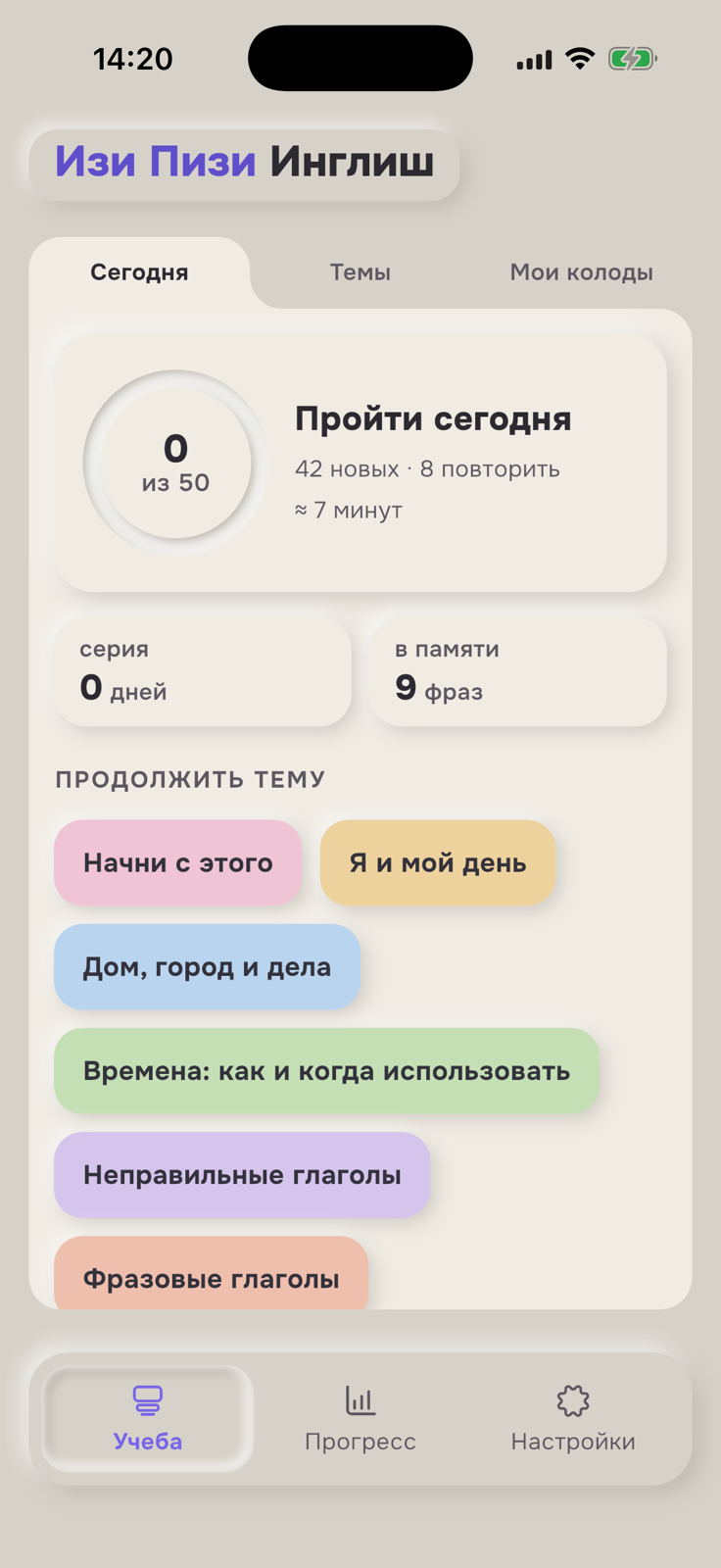
Easy Peasy English on an iPhone, showing today's short study plan and topics to continue; the app interface is in Russian
01

Start immediately — useful topics are already included.

02

Review at the right time — FSRS builds the queue.

03

Study anywhere — the app works offline after sign-in.

A simple loop

Three actions. No timetable maintenance.

Choose a useful topic, try to recall the answer, then rate your recall honestly. The app handles the schedule.

Step 1
Choose what is useful

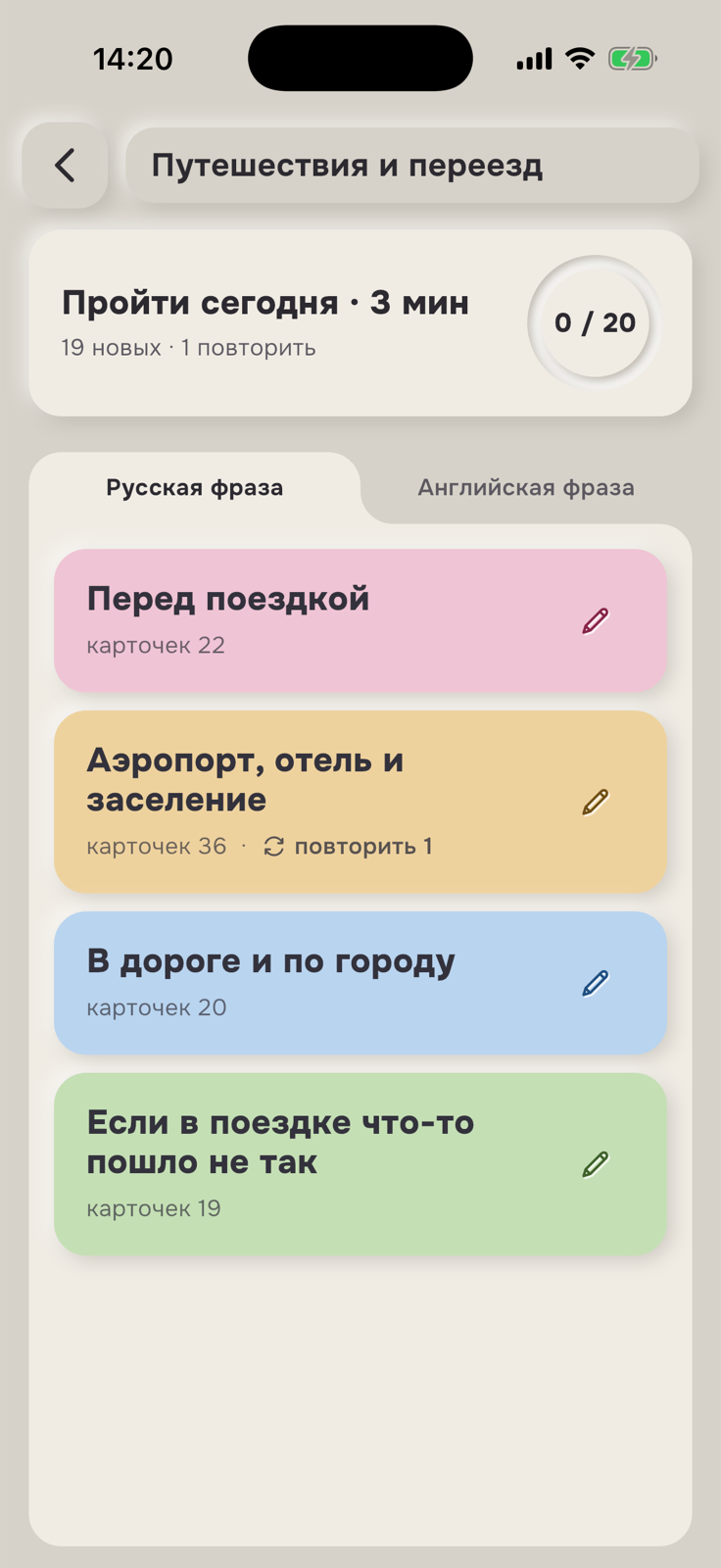
Not an empty screen: 74 ready-made decks.

Conversation, work, travel, relationships, tenses and phrasal verbs are organised into clear Russian-language topics. The content update adds slang, confident-speech connectors, interview questions, home vocabulary and other practical topics.

  • see the estimated session time before starting
  • see how many new and review cards are due
  • edit ready-made cards for your own account
Russian-language travel and relocation decks on an iPhone

Travel and relocation topic

Step 2
Recall before revealing

One card. One honest answer.

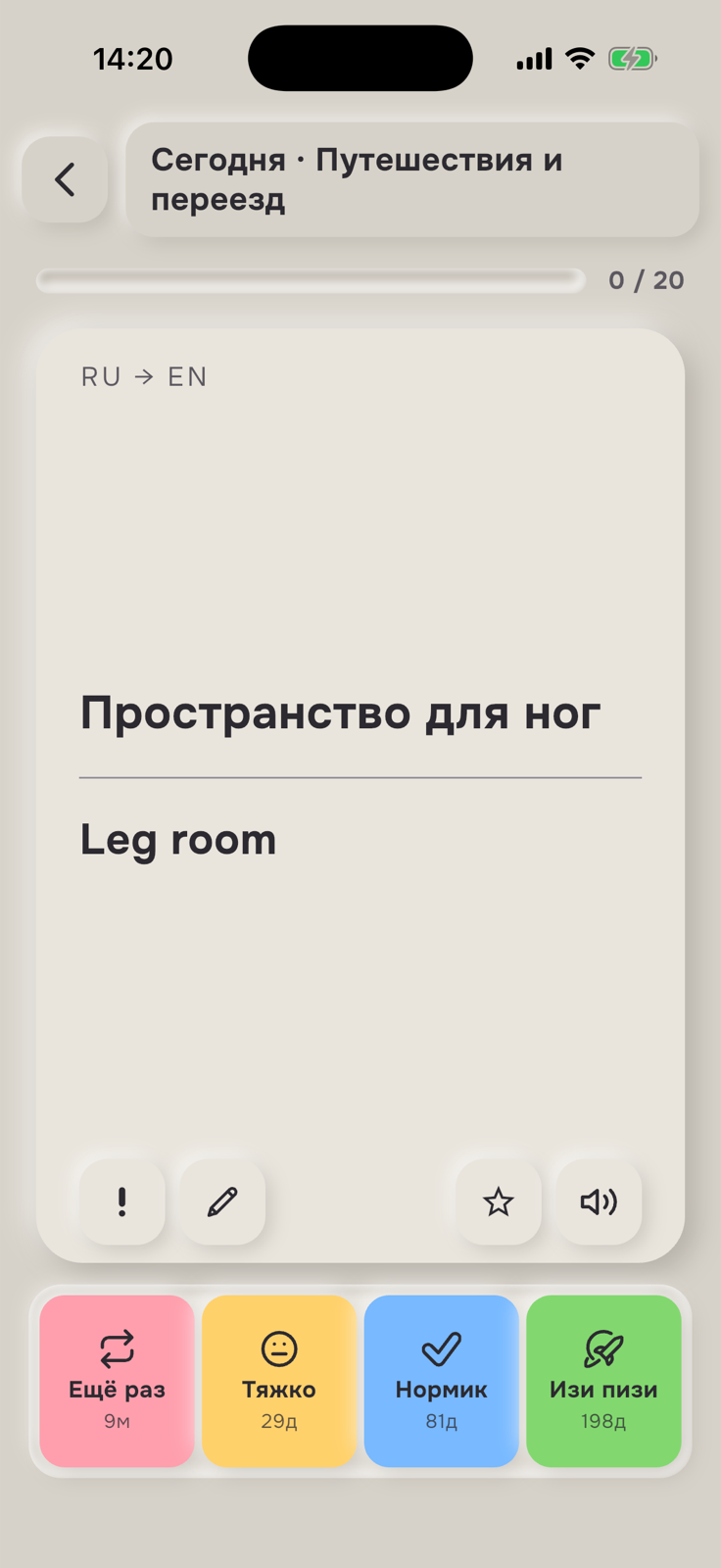
Try to recall the translation first. Reveal the other side, then choose how difficult the answer felt. It is not a test; it is a signal for the next interval.

Again9mHard29dGood73dEasy208d
A Russian-to-English study card with four answer ratings on an iPhone

A card after revealing the answer

Step 3
Keep going calmly

Progress answers “what next?”

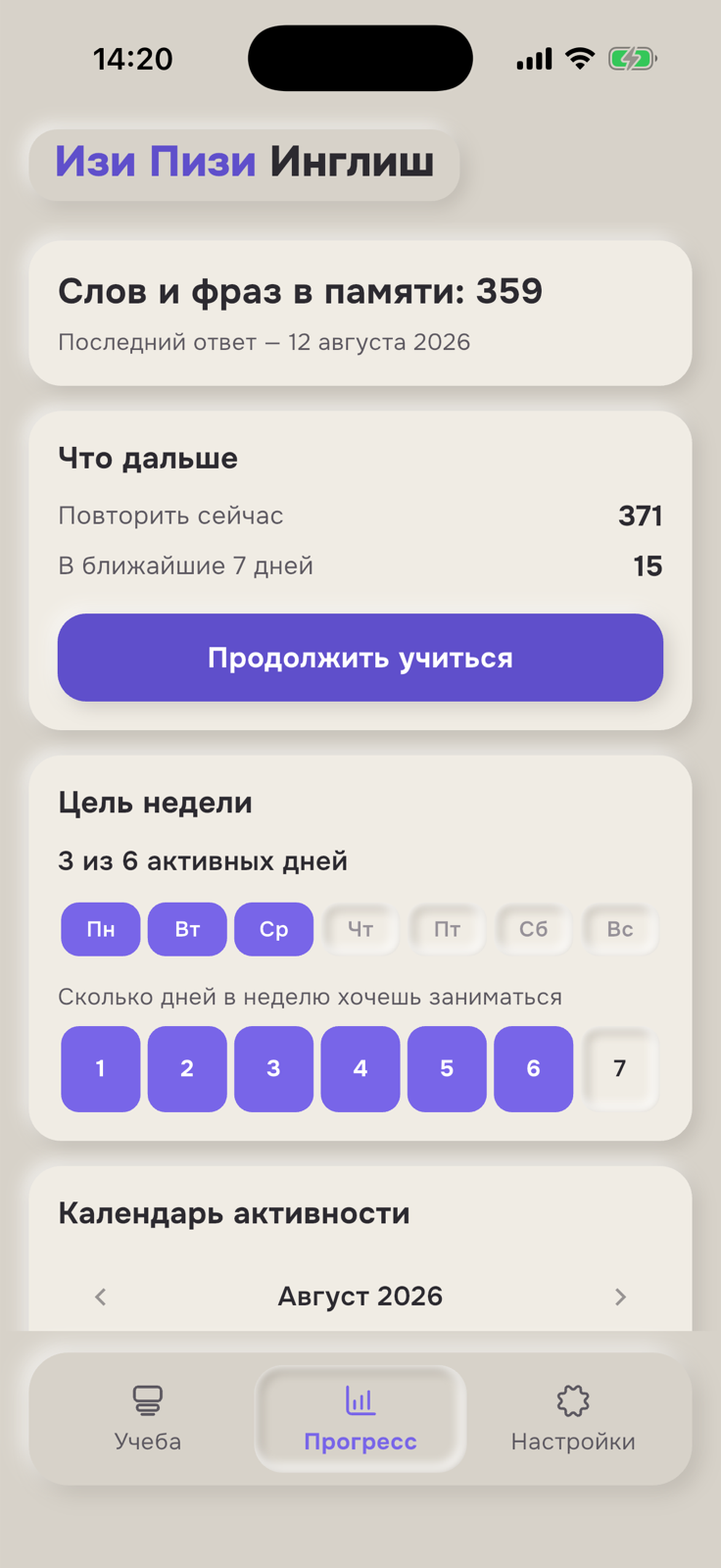
See how many phrases are already in memory, what is due now and how much review is expected during the week — all on one screen.

Understand FSRS without the jargon →
Easy Peasy English progress screen with a review queue, weekly goal and calendar

Personal queue and weekly goal

What is inside

The essentials for daily vocabulary practice.

No miracle claims or promises of fluency in a week. Just practical tools that bring useful language back into memory.

FSRS

A personal review queue

Cards return according to your answer history rather than the same fixed calendar for everyone.

How it works →

EN → RU and RU → EN

Recognising an English phrase and actively producing it are tracked as separate skills.

OFF

Offline study

After sign-in, sessions, decks and progress remain available without a network connection.

Your own cards

Add personal expressions and edit ready-made cards for your account.

Clear positioning

A vocabulary trainer, not a miracle promise.

Easy Peasy English helps Russian-speaking learners retain useful words and phrases. It works best alongside reading, listening, a course or real conversation.

A good fit if you want to

  • learn vocabulary for real situations;
  • start with ready-made Russian–English decks;
  • study in short sessions;
  • avoid configuring an algorithm manually.

It does not try to replace

  • a complete grammar course;
  • conversation with a teacher;
  • pronunciation practice with people;
  • systematic work on every language skill.
Resources

Understand the method before installing.

Practical explanations of memory, useful phrases and the differences between vocabulary tools.

Short answers

Before your first deck.

The method, offline access, personal cards and the app's limits.

Who is the app for?

Easy Peasy English is designed for Russian-speaking learners. The app interface, explanations and built-in translations are in Russian.

What is FSRS?

It is a spaced-repetition algorithm. It uses each card's rating history to calculate the next useful review time separately for both study directions.

Can I study without internet access?

Yes. After sign-in, study sessions, ready-made decks and progress are available offline. A connection is needed for sign-in and synchronisation.

Can I add my own words?

Yes. You can create your own cards and edit ready-made cards for your account.

All questions about Easy Peasy English →

Support and documents

Everything important is public.

Contact support, read the terms or request account deletion without installing the app.

Start with one topic

A few phrases today. Still available to you tomorrow.

Download Easy Peasy English and open your first ready-made deck.